
If you’ve ever wired a project from a stack of 2D drawings, you know the moment: the conduit run looks perfect on paper, and then you climb the ladder and find a duct sitting exactly where your raceway should go. Electrical BIM services exist to catch that problem before anyone climbs a ladder, by building the full electrical system of a building in a 3D model and checking it against every other trade before installation starts.
In this article, we’ll look at what electrical building information modeling includes, its key features and parameters, how the workflow runs step by step, which software is used, and where it’s applied in real projects.
What Electrical BIM Actually Is
Building information modeling, or BIM, is a way to design and document a building as a digital model made of intelligent objects. A conduit in a BIM model carries its trade size, material, fittings and the circuits inside it, so the model knows far more than its appearance.
Electrical BIM applies that approach to power, lighting, grounding and low-voltage systems. The electrical model typically includes:
- Switchgear, transformers, panelboards and UPS equipment at manufacturer dimensions
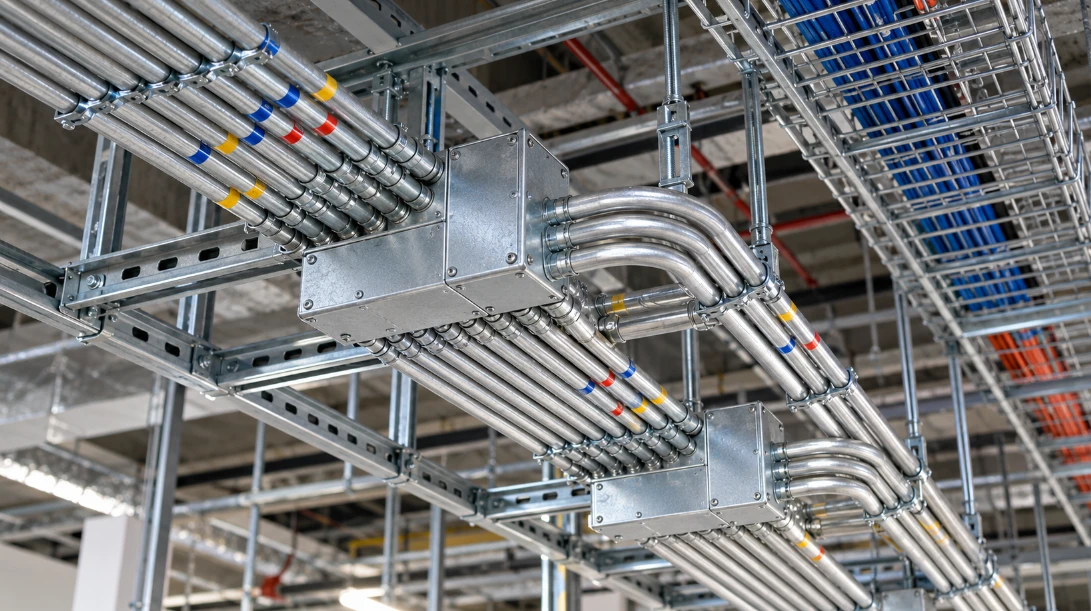
- Conduit, cable tray and busway routes with real fittings and supports
- Working clearance zones in front of electrical equipment
- Lighting fixtures, receptacles and devices placed at installation heights
- Low voltage pathways for fire alarm, security, data and controls
- Hangers, racks and unistrut supports for overhead runs
Many contractors buy this as a service from specialist firms, because building and maintaining a modeling team in-house takes trained staff, software licenses and constant project volume.
Key Features of Electrical BIM Services
3D modeling. Every component sits in its true position in three dimensions, including its elevation. That alone solves a lot of problems, because most conflicts in ceilings happen at a height that 2D plans don’t show clearly.
Clash detection. The electrical model gets combined with the mechanical, plumbing, fire protection and structural models. Software then compares all of them and flags every spot where two objects overlap or where something intrudes into a required clearance.
Trade coordination. Clashes get resolved in regular meetings with the general contractor and the other trades. Each conflict gets an owner and a decision, and the model is updated before the next round of checks.
Shop drawings. Once coordination is done, the model produces installation drawings for crews in the field: underground and underslab conduit, overhead conduit, cable tray, busway and support drawings, each with a bill of materials.
Prefabrication support. Spool drawings break the model into assemblies that can be built in a shop, such as conduit racks and multi-trade supports, then shipped to site ready to hang.
As-built documentation. After installation, the model is updated with field changes so the owner receives an accurate record of what was built.
Important Parameters in an Electrical Model
A model is only as useful as the rules built into it. These are the parameters electrical modelers deal with every day.
Level of development. The BIMForum LOD Specification defines how much detail and reliability an element carries. Here’s how the commonly used levels compare:
LOD | What the element shows | Typical use |
| LOD 100 | A symbol or generic placeholder | Early concept design |
| LOD 200 | A generic system with approximate size, shape and location | Schematic design |
| LOD 300 | A specific system with accurate size, shape, location and orientation | Design development and construction documents |
| LOD 350 | LOD 300 plus how the element connects to supports and neighboring systems | Trade coordination |
| LOD 400 | Fabrication-ready detail with assembly and installation information | Shop drawings and prefabrication |
Bend limits. The National Electrical Code limits the total bends between pull points in a conduit run to 360 degrees, the equivalent of four quarter bends. The model has to respect that, or the run needs a pull box.
Conduit fill. NEC Chapter 9, Table 1 limits how much of a conduit’s cross-section conductors can occupy: 53 percent for one conductor, 31 percent for two, and 40 percent for three or more. Modeling tools calculate fill automatically when circuits are assigned to conduits.
Working clearances. Section 110.26 of the NEC requires clear working space in front of electrical equipment, at least 30 inches wide and typically 3 feet deep for common voltages. Good models represent this space as a solid object, so a clash test flags any pipe or duct that enters it.
System separation. Project specifications usually require minimum spacing between power and low voltage cabling, and between normal and emergency power. The model enforces those distances so they don’t get lost in a crowded ceiling.
How the Workflow Runs Step by Step

Every firm runs its process a little differently, but the overall sequence is similar across the industry. SJS VDC, a firm that works only on electrical VDC, publishes an eight-step process with a quality control checkpoint after each stage, and it’s a good example to follow.
1. Project kickoff. The team collects design drawings, specifications, the BIM Execution Plan and the coordination schedule, and agrees on LOD targets and file formats.
2. Layout and fabrication plan. Before full modeling starts, the designer marks up the drawings with approximate conduit routes, often in Bluebeam. This step identifies zones where nothing can pass, plans home runs and branch circuits, and produces a preliminary bill of materials for early pricing. It also reveals errors in panel schedules and single-line diagrams, so the contractor can send questions to the engineer weeks earlier.
3. Modeling. The electrical system is built in Revit at the agreed level of detail, with equipment, conduit, tray and supports.
4. Trade coordination. The model is combined with the other trades’ models, clash detection runs, and conflicts are resolved in coordination meetings.
5. Annotation. Coordinated areas are turned into sheets with dimensions, tags, elevations and notes that crews can read in the field.
6. Spooling and prefab delivery plan. The team decides which assemblies to prefabricate and the order they need to arrive on site.
7. Spooling. Detailed spool drawings are produced for each prefabricated assembly, with cut lengths, bends and parts lists.
8. Redlines. Installers mark field changes, and the model is updated to become the as-built record.
Software Used in Electrical BIM
Autodesk Revit is the standard modeling platform for electrical work in North America. Navisworks is widely used to combine trade models and run clash detection, while Bluebeam Revu handles markups and early layout work on PDF drawings. Many electrical contractors also use eVolve Electrical, a Revit add-in built for electrical contractors that speeds up conduit modeling, bending details and spool drawings.
On larger projects, issues are tracked in cloud platforms such as Autodesk Construction Cloud or Revizto, so every trade sees the same list of open conflicts and decisions. When an owner wants a vendor-neutral copy of the finished model for facility management, the team exports it to IFC, the open ISO 16739 format maintained by buildingSMART International, which most BIM and facility management platforms can open.
Where Electrical BIM Services Are Applied
Any building can benefit, but some project types depend on it heavily because their electrical systems are dense, critical or both.
Data centers. Redundant A and B power paths, switchgear lineups, UPS rooms and generator feeders all have to fit alongside cooling equipment, with physical separation between redundant feeds.
Hospitals. Separate branches of the essential electrical system, imaging equipment with dedicated power and grounding, and nurse call systems share ceilings with medical gas and HVAC.
Semiconductor and battery plants. Process tools need specific power, and the plants contain huge amounts of cable tray, busway and process piping in tightly controlled spaces.
Airports and transit stations. Renovations often happen while the facility stays open, so phased models and prefabrication keep night shifts short and predictable.
High-rise residential. Repetitive floors let teams reuse a coordinated layout level after level, and prefabricated assemblies speed installation.
Benefits and Limitations
The main benefits are fewer clashes in the field, more accurate material orders, faster installation through prefabrication and a reliable as-built record. Contractors also get fewer late requests for information, since many design gaps are caught during layout and modeling.
There are limitations too. A model takes time and money to build, and its value depends on every trade modeling to the agreed level of detail on schedule. If the mechanical or plumbing models lag, clash detection can’t catch conflicts with systems that aren’t there yet. The model also has to be updated when the design changes; otherwise the drawings it produces drift away from the current design.
For students and young engineers, learning this workflow is a practical career move. Electrical contractors increasingly expect designers and project engineers to read a coordinated model, understand LOD targets and work through a clash report, and those skills transfer to every project type listed above.